
Features / Terminal and your PCs
An agent in every terminal
labb reads and searches your code and runs commands with your approval, in any folder, on your own models.
You stay in charge
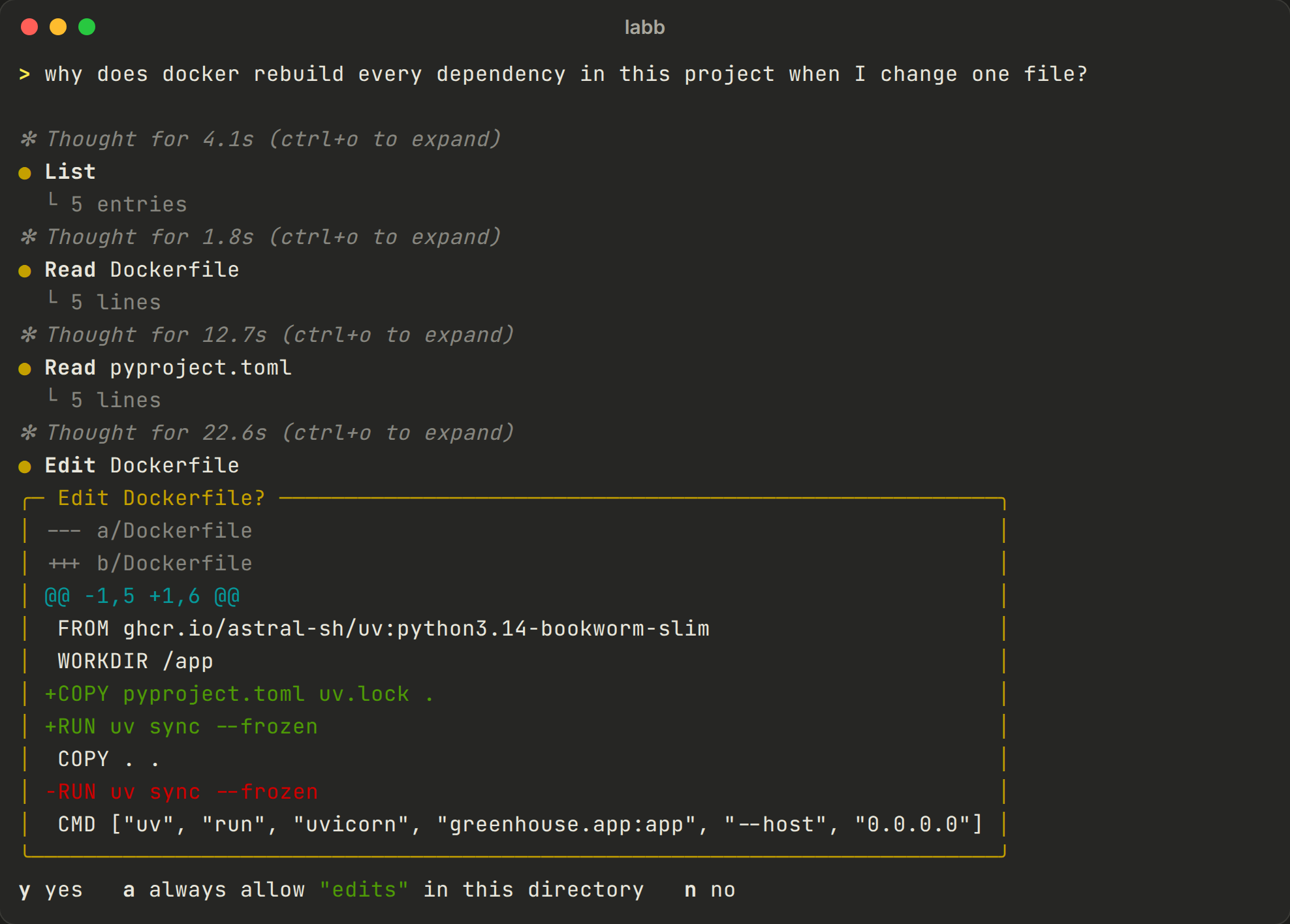
It asks before it acts
- Permissions
- Read-only commands run right away, and others ask: once, always in this folder, or no with a reason. Edits ask the same way, with a colored diff.
- Secrets
- Reading a file that may hold secrets, like
.envor SSH keys, asks every time. - Modes
/planis read-only and ends with a plan for you to approve. Shift-Tab goes through the modes: default, accept edits (commands still ask) and plan.- Questions
- When something is open, it asks you one question with a few choices and its recommendation first.
- Undo
/undotakes back the last message and its file changes, from snapshots kept apart from your project's.git.- Worth knowing
- Commands aren't sandboxed, so review what you approve.
Longer jobs
Built for work that takes a while
- Goals
/goalgives the conversation an objective. The agent keeps working, within a budget of model calls, until it has checked every part is done, and backs “done” with evidence.- Todo lists and notes
- It writes a todo list for jobs of 3 steps or more, and saves what took effort to find out in
.labb/notes.md. - Helpers
- It can hand a search or investigation to a helper agent with read-only tools, so the conversation stays small.
- Project instructions
- It reads
AGENTS.md(orCLAUDE.md) from your folder, and/inithas it write one. - Background commands
- Dev servers and watchers keep running while it works;
/jobslists them.
At a glance
The commands you'll use most
labb / labb -c | Start a conversation in this folder, or continue the latest |
labb -p "question" | One answer, for scripts (--output-format json too) |
git diff | labb -p "review this" | What's piped in goes with the question |
@file, ! command | Attach a file; run a command yourself and share its output |
/plan, /undo | Plan mode; take back a turn and its file changes |
/goal … | Keep working until an objective is done |
/context | What the model gets now, in tokens per part |
/model, /engine, /memory | Switch models or engines; see your memories |
/skills, /<skill> | List the skills, or use one on purpose |
/loop 5m … | Repeat a prompt on an interval, as long as the session lasts |
labb run "Frost watch" | Run a Studio workflow, showing its steps |
Esc, Esc Esc | Stop the reply; edit your last message |
Your PCs
Start work on a PC from the browser
Run labb connect on a PC and leave it running. The PC dials out to the server, so it works from behind a router. Then start a new chat, pick the PC and folder under Where, and say what to do. The PCs page lists what's connected.
labb can do it from a chat too, asking you first.
labb connect ~/code/project ~/code/other- Only yours
- Nobody else sees your PCs, admins included.
- Only those folders
- The PC itself refuses any folder you didn't name.
- It asks in the page
- Commands and edits ask you, once each.
- Only you, logged in
- An API key can't start a run, so a key leaked from one PC can't run anything on the others.
With a server
Connected to your lab
Install it from your server and it uses the server's models, your documents and your memories. Sessions show up under Terminal in the web chat.
Without one
On its own
It also works alone, talking straight to Ollama, OpenAI or Anthropic. Document search needs a server; everything else works. Install it.
More features