
An assistant for each job
A head chef, a garden planner, a code reviewer. Give each one its own instructions, model and tools, then try it as you build it.
Set it up and try it on the same screen
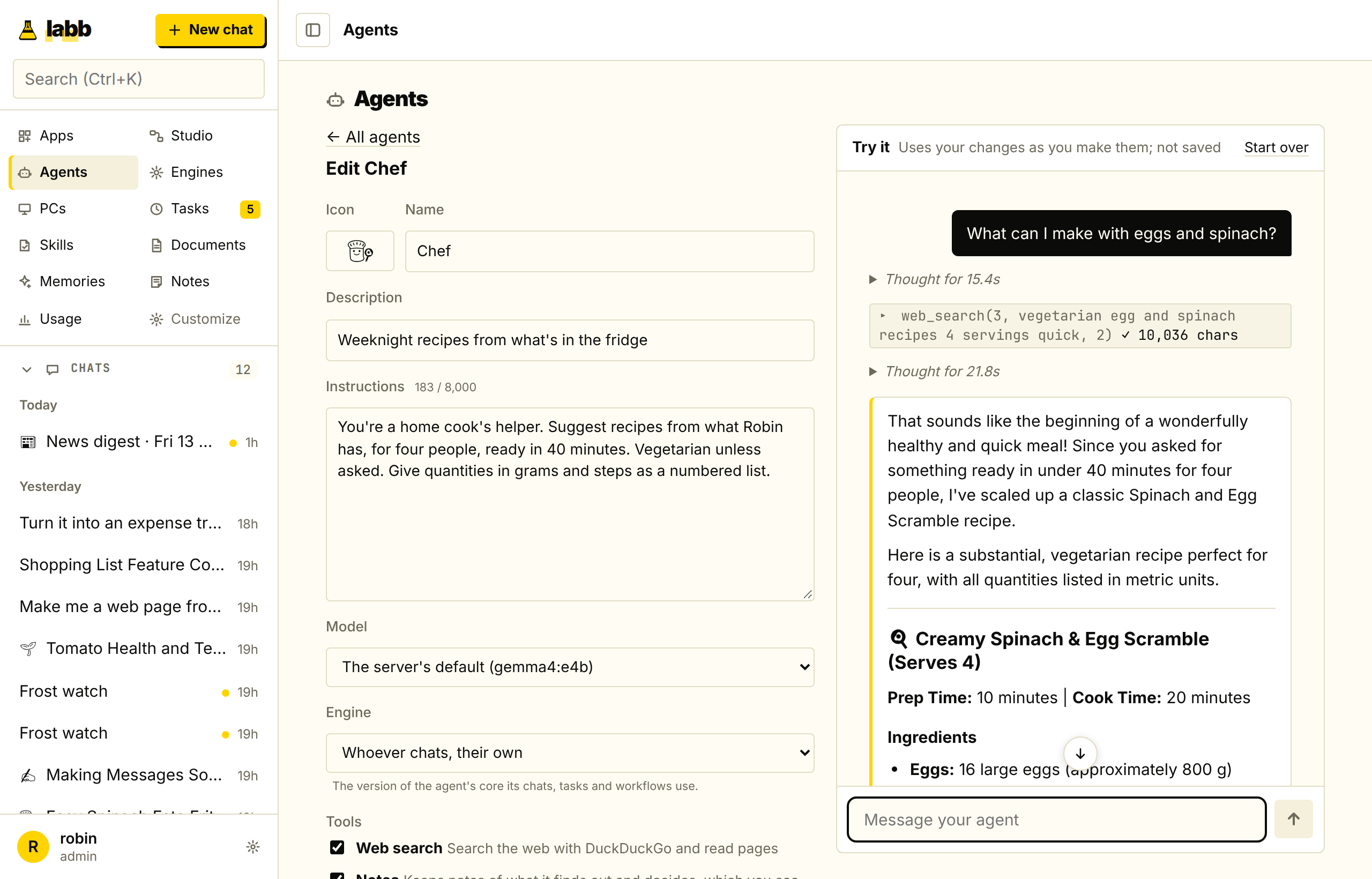
The Try it chat uses your changes as you make them and isn't kept, so you can adjust an agent until it answers the way you want.
Everything it needs for its job
- Instructions
- How it should behave, added to the system prompt, with a name, emoji and description.
- A model
- The default for its chats. The model picker can still change it.
- An engine
- Which engine runs it, which its tasks and workflow steps use too.
- Documents
- Whoever chats, their own; only some of yours; or none.
- Skills
- Whoever chats, their own; only some you pick; or none.
- Conversation starters
- Up to 4, ready to click.
Five agents from the start
Every account starts with five agents and the skills they use, made for jobs on the web. They're yours like any other, to change, share or delete, and Settings → Account → Restore defaults brings back the ones you deleted.
- News Desk
- Recent news from good sources, with dates and links, and fact-checks.
- Researcher
- A question across many sources, as a cited report.
- Shopping Scout
- Independent reviews and current prices, and a pick.
- Trip Planner
- Itineraries with checked opening hours and costs.
- Writing Editor
- Clear, correct text in your voice.
Agents can ask each other
Give an agent agents it can ask and actions it can use. A “Head chef” can ask the “Baker” about bread, or create a shopping list in another app.
Share it with everyone on the server
Everyone can chat with a shared agent and duplicate it, and only you can change or delete it. People use their own memories and history with it.
Use it wherever you need it
Start a chat from its card, schedule it to run on its own, or make it a step in a Studio workflow.