
Ask for an app. Get one running.
labb writes apps for you, builds each one in a container of its own and checks that it works. In any chat, ask for a chart or a dashboard and you get an artifact with a link.
Say what it should do
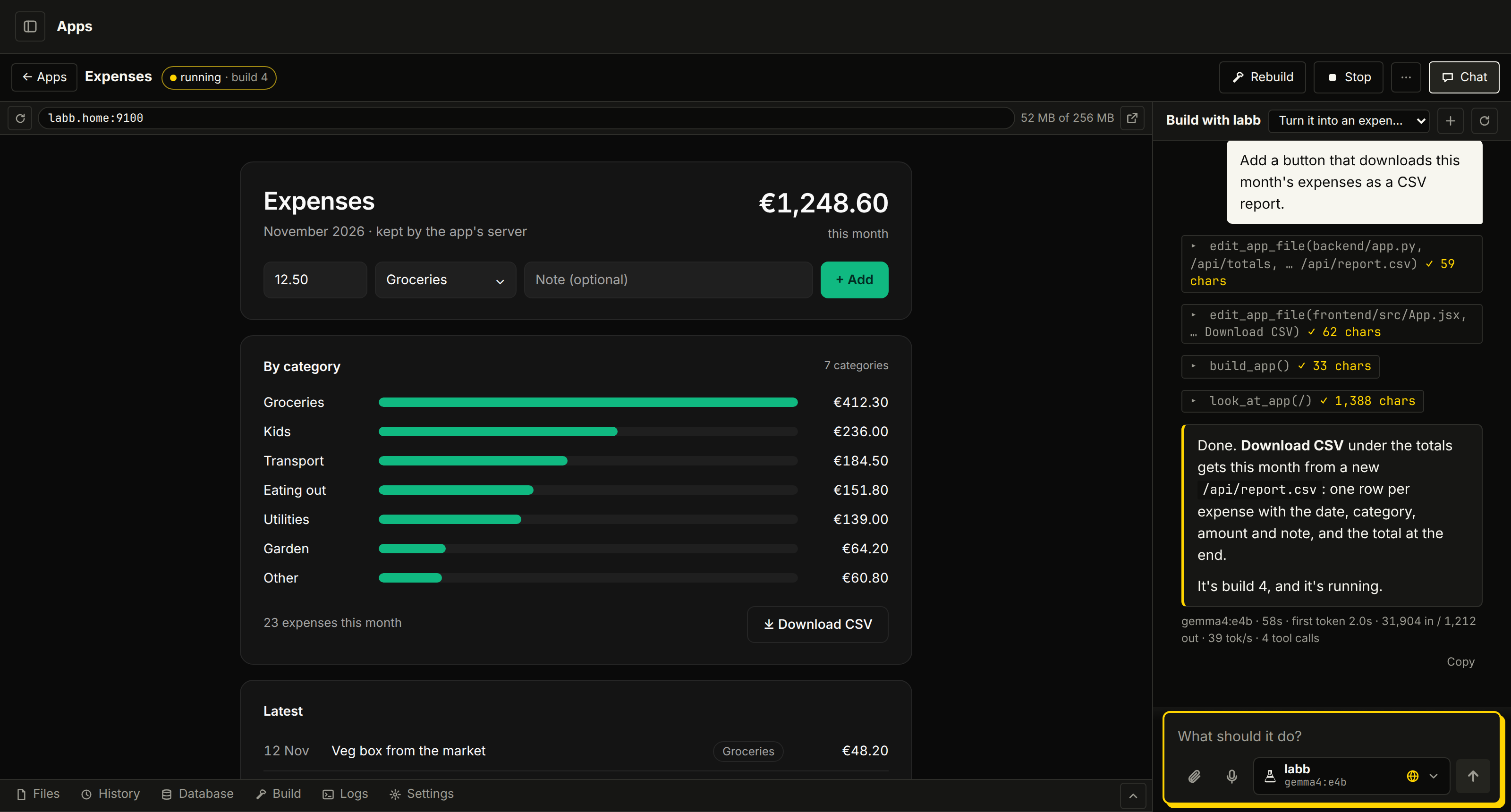
Open Apps, press New app, pick React and Python and call it “Expenses”. labb builds it and shows it on its own port. Then ask in the chat beside it:
Turn it into an expense tracker: add an expense with an amount and a category, show this month's total for each category, and keep them after a restart.
labb reads the files, adds an API that keeps the expenses, changes the page to use it, builds the app, and opens the page to check that it loads. Then ask for more, like a button that downloads the month as a CSV report.
Every app starts ready to build on
Each one has a React page built with shadcn/ui on Tailwind CSS. A change to its files goes live by itself a few seconds later, and one that doesn't build leaves the last good page up.
- React app
- Just the page.
- React and Python
- Adds a FastAPI server for the app's JSON API at
/api/…, with an example list to start from. - React and Node
- The same with an Express server.
- Its look
- New app asks for colours, spacing and a font. You or labb can change them later, and dark mode follows your system.
A whole workbench per app
- Its own chat
- labb changes the files, builds the app, and checks its pages and logs until it works. New session starts fresh, and if it goes round in circles, the chat says so and offers Start fresh. It keeps notes of its own on how the app is built and what's left.
- Files
- A code editor with find and replace, and a search across every file.
- History
- Every build is saved as a git version. Restore any of them, or download the files as a zip with the history in it.
- Data and settings
/datasurvives restarts and rebuilds. Set environment variables and secrets, which are kept encrypted.- A database
- Its own Postgres, with migrations applied at each build, a table browser and a SQL box.
- An API and sign-in
- Turn on its tables over HTTP, with sign-in for the app's own users and row-level security deciding what each one sees.
- Use labb
- Tick what the app may do as you: ask your models, run your agents, search your documents, read or save memories. It gets a key that opens only that.
Each app in a locked box
An app runs as an unprivileged user with a read-only system, limits on memory, processor and data, and only /tmp and /data to write to. If a new build fails or crashes in its first seconds, the last one that worked keeps running.
Keep app ports at home
Apps are early and growing. Each one is on a port from 9100 to 9199, and app pages have no sign-in yet, so keep those ports on your network.
A dashboard, a chart or a diagram, from any chat
Ask for a report, a chart, a diagram or a tool, and labb builds it as an artifact: a page of its own with a link, shown right in the chat. Ask for a change later in the same chat and it changes the same artifact, at the same link.
- A ready template
- Every artifact starts from Next.js with React, TypeScript, Tailwind CSS, ready-made components, ten chart types and diagrams that lay themselves out.
- Typed, so it builds right
- A chart's fields must be the data's, and a diagram's arrows must join boxes that are there. A mistake fails the build with the line and what was meant (“Did you mean ‘month’?”), and the model fixes it.
- Built offline
- Artifacts build in about 12 seconds in a container with no network, and are served on port 8300 to anyone with the link. Their names end in random characters, so they can't be guessed.
- Good to know
- Artifacts have no server of their own: their data is built in or fetched from public APIs. For a server, a database or users, make an app.
The Expenses app and the conversation in the screenshot were made up for this page. The screens around them are labb's.