
A browser it can click through
Turn on the Browser and labb opens pages, clicks, fills in forms, downloads and uploads files, and works in web apps like spreadsheets. You watch it live and can take over whenever you like.
Off until you say
Use the Browser switch by the message box in the web chat, or --browser and /browser on in the terminal. An agent has it if you tick it in its editor.
On the server it runs in a service of its own that reaches the internet but not your network or labb's other services. On a PC, labb --install-browser runs it in a window you can see, where it can also open your own dev server.
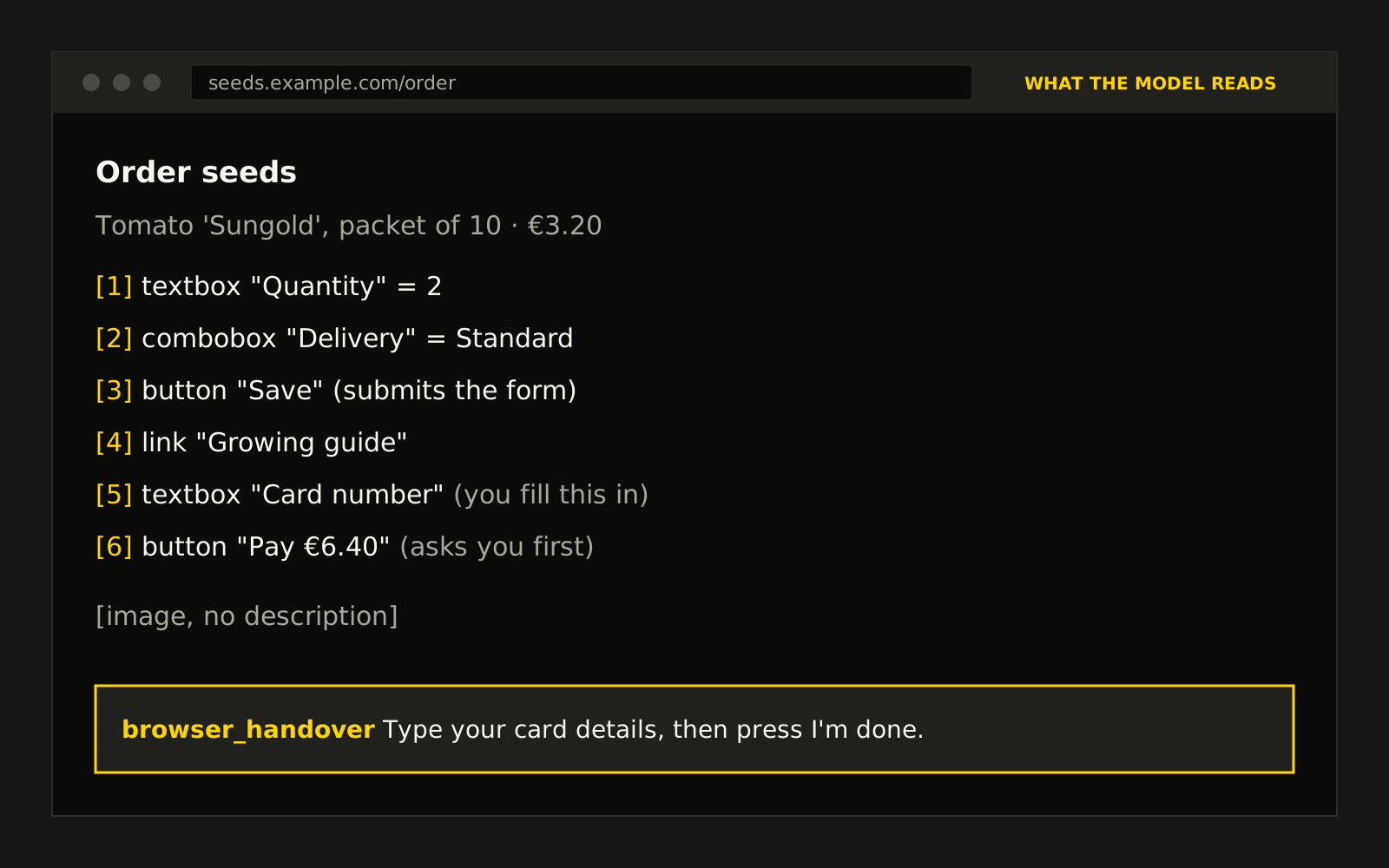
It asks before anything that counts
- Reading and moving around
- Opening, reading and scrolling pages and switching tabs need nothing.
- The first click on a site
- Asks once per site, per chat.
- Sending, paying, deleting
- Submitting a form, showing what it sends and where, or pressing anything that pays, sends, deletes or publishes asks each time. So does giving a page a file.
- Passwords and cards
- The model can't fill in passwords, card numbers, one-time codes or CAPTCHAs at all. It hands the page over, you type them yourself, and the model never sees what you typed.
- Tasks and workflows
- Nobody is there to answer, so there the browser only reads.
Live, beside the chat
A panel shows the chat's browser as it works. Take over sends your clicks and keys to the page, and when the agent hands over to sign in, the chat shows I'm done for when you're finished.
Sign in once
Sign-ins are kept per person between chats, in a file only the browser's service reads. Each chat gets its own tabs, which close after 30 idle minutes. Sign out of every site forgets them all.
When you trust a site
- Trusted sites
- List them in Settings → Trusted sites, and the first click on them stops asking in all your chats. Everything else still asks.
- Don't ask
- A switch for one chat that stops all the browser's questions until you reload. Passwords, cards and codes still stay with you.
Spotting what can't be taken back goes by the form and the words on the button, so it's a net, not a guarantee. Some sites refuse sign-ins from a browser that's being automated, and seeing images or charts needs a model that can read images.