
Plug in your accounts and tools
Connect Google or Microsoft 365, GitHub and Notion, add any tool through MCP, and teach labb how you work with skills.
Mail, calendars, code and notes
Each person connects their own accounts in Settings → Integrations, and the assistant can use them in their chats, agents, tasks and workflows.
- Microsoft 365
- GitHub
- Notion
- See and change Google Calendar events. Search and read Gmail, and write drafts for you to send. It never sends mail.
- Microsoft 365
- The same for Outlook: calendar events to see and change, and mail to search, read and draft. It never sends mail either.
- GitHub
- Search and read issues, pull requests, repositories and files, and open issues or comment when you ask. It never merges, closes or pushes.
- Notion
- Search and read the pages you share with labb when you connect, and make pages or add to them when you ask. It never deletes.
Always yours, never the agent owner's
The assistant uses the account of whoever is chatting or owns the task. Each integration's tools are only offered to people who connected it, and an agent needs them ticked in its editor.
An admin registers each one
The server's Settings → Integrations shows the steps and the address to register with Google, Microsoft, GitHub or Notion. Tokens are kept encrypted and refreshed on their own. What the assistant reads goes to the model it's chatting with, so with OpenAI or Anthropic it leaves your network.
Any other tool, added from the browser
Search the MCP Registry or pick a well-known server like Context7 or Playwright, fill in its token or folder, and its tools are in the web chat. Tools that change something ask first. In the terminal, add MCP servers in your settings file.
Teach it how you work
A skill is a folder with a SKILL.md, in the open Agent Skills format. The model sees each skill's name and description and loads one when a task matches, or you can type /name to use it on purpose.
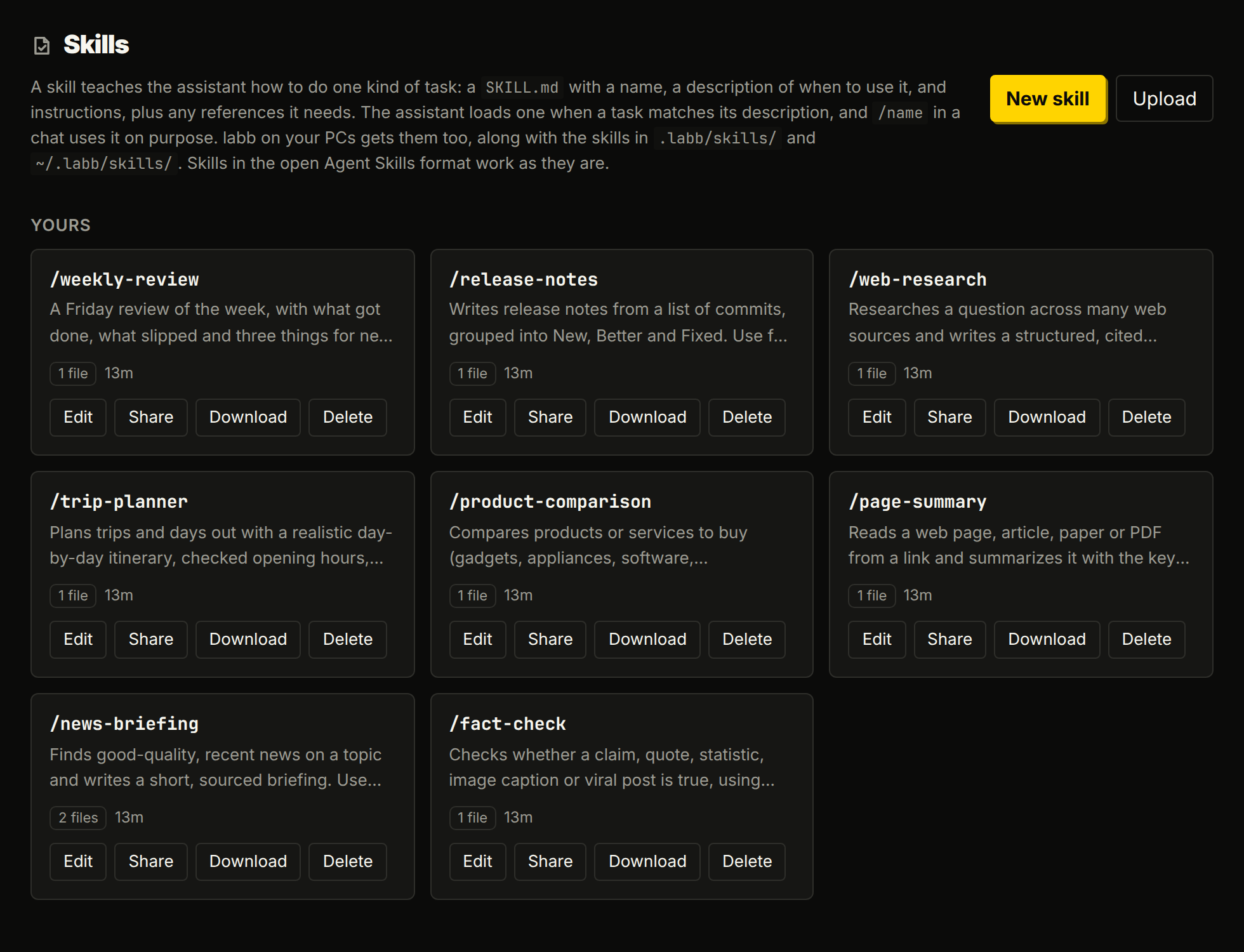
- In the web chat
- Write or upload skills on the Skills page, and share them with everyone on the server.
- In the terminal
- Keep them in
.labb/skills/or~/.labb/skills/(.claude/skills/works too), and your server's are there as well. There the model can also run a skill's scripts, with the usual approval. - From a chat
- Say “save how we write release notes as a skill” and the model writes it for you.
- Ready-made
- Every account starts with skills for web jobs: news briefings, fact-checks, web research, page summaries, product comparisons and trip plans.