
Features / Documents, memories and notes
It knows your stuff
Upload your files and it answers from them, with links to the passages. Tell it what matters and it remembers across conversations. On longer jobs it keeps notes, so it can pick the work up later.
Documents
Answers from your own files
Add PDFs, Word documents, text files and recordings, up to 20 MB each. Answers cite passages as links, and clicking one opens the document with the passage marked.
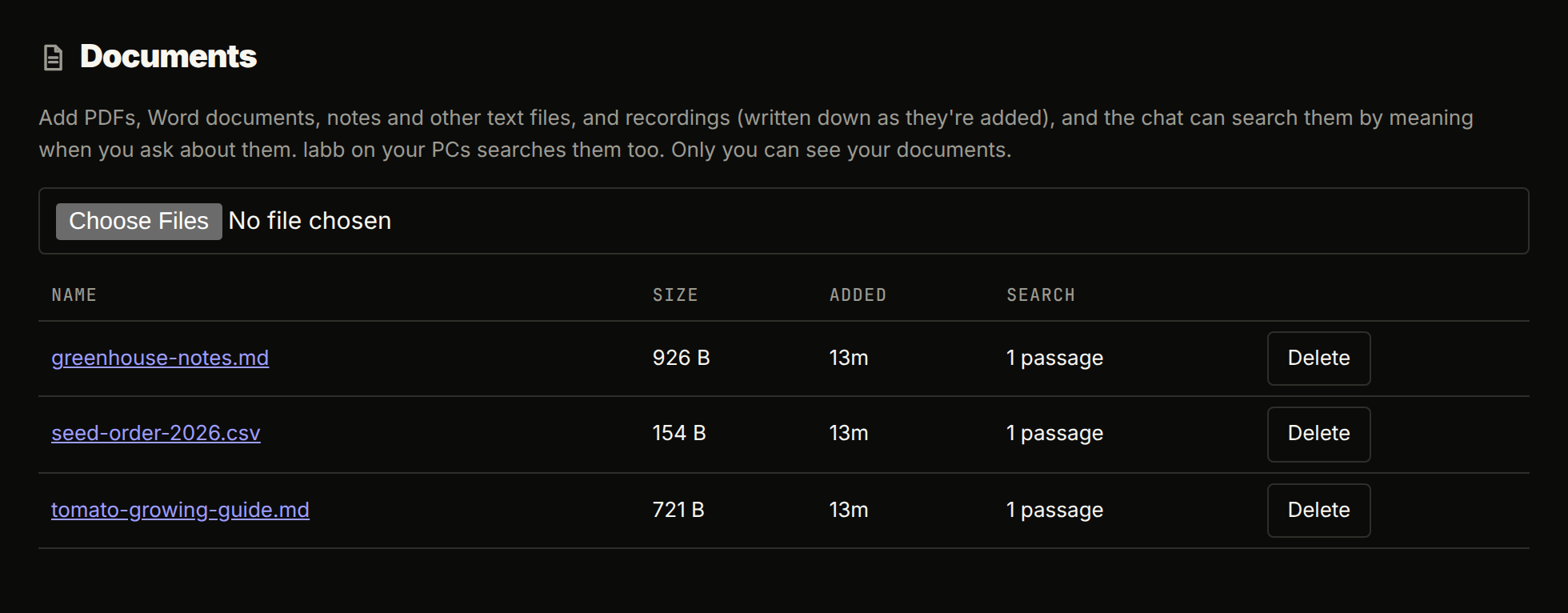
- Search by meaning and by words
- A search looks at both at once, so an error code or a name is found even when its meaning isn't close.
- Runs on your server
- Passages are embedded with a local Ollama model and kept in your database.
- Save from a chat
- Say “save this summary as a document” and it's added and searchable, with a link in the answer.
- From your PCs too
- labb in a terminal searches the documents of whoever logged in, through the server.
- Good to know
- Everyone sees only their own documents. Scanned PDFs need OCR first, because they have no text to read.
Memories
It remembers what you tell it
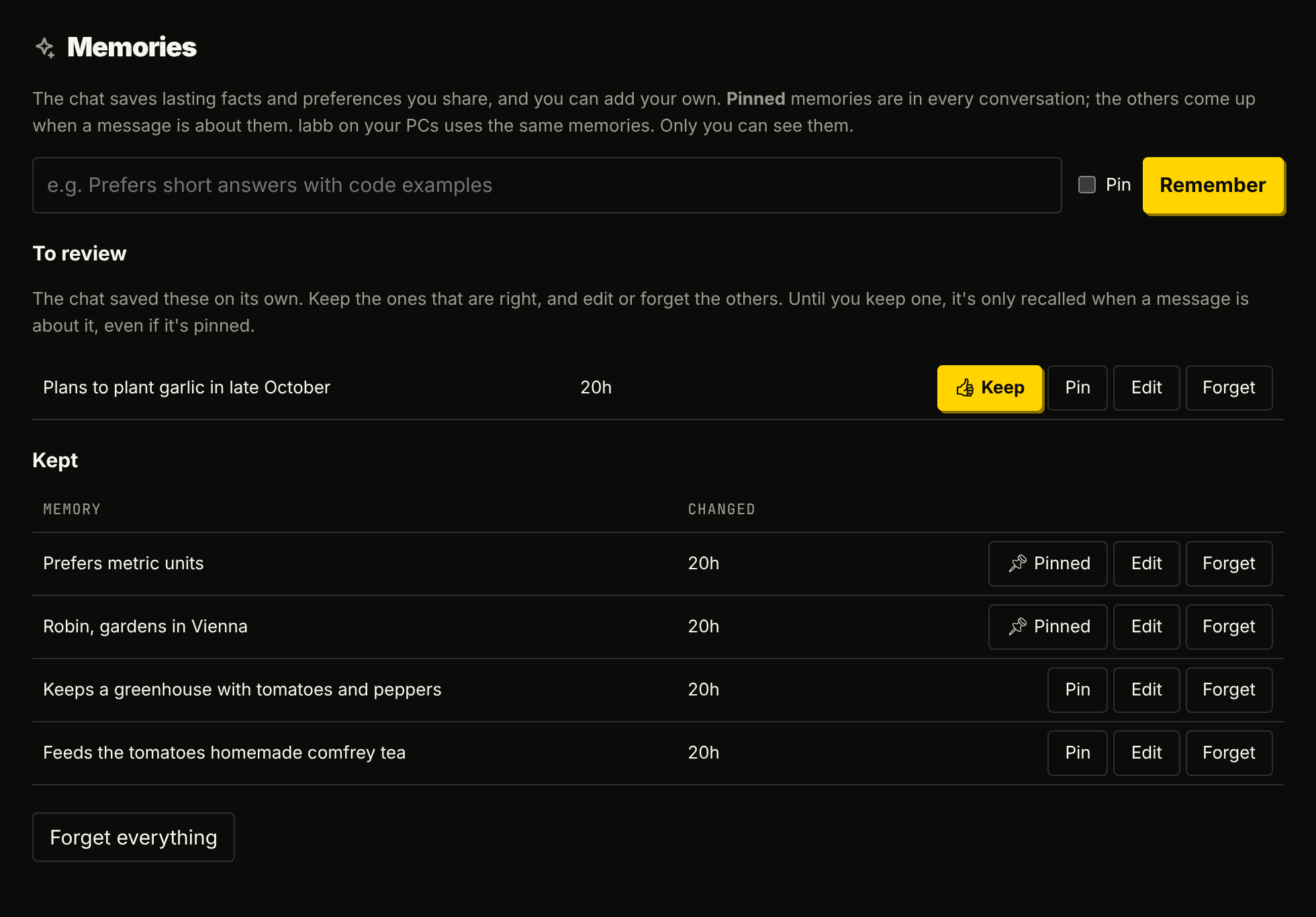
“Prefers metric units.” “Keeps a greenhouse.” Short facts and preferences follow you across conversations, in the web chat and on your PCs.
- Pinned
- Your name, your language, how you like answers: these are in every conversation.
- Recalled
- The others come up when a message is about them.
- You review them
- What the agent saves on its own waits under To review. Keep it, edit it or forget it. Until you keep it, it's only recalled when a message is about it.
- Yours alone
- You can see and edit every memory, and nobody else sees them, admins included.
Notes
It writes down what took effort to find out
Decisions, findings and where a longer job stands, under a topic each, so the agent can pick the work up after its context was cleared or in a later conversation.
- The Notes page
- Your notes, a topic each, newest first. Add, edit or delete a topic, or edit them all as Markdown.
- In the terminal
- The project's
.labb/notes.md. With a PC connected, the Notes page can show and change those too. - Per app
- An app's chat keeps the app's own notes, apart from yours, and removing the app removes them.
More features