
labb
A whole workshop of machinery for “make me an expense report app”
Your own AI assistant, self-hosted: a web chat for everyone at home, an agent in every terminal, and apps it builds for you, all on your own models.
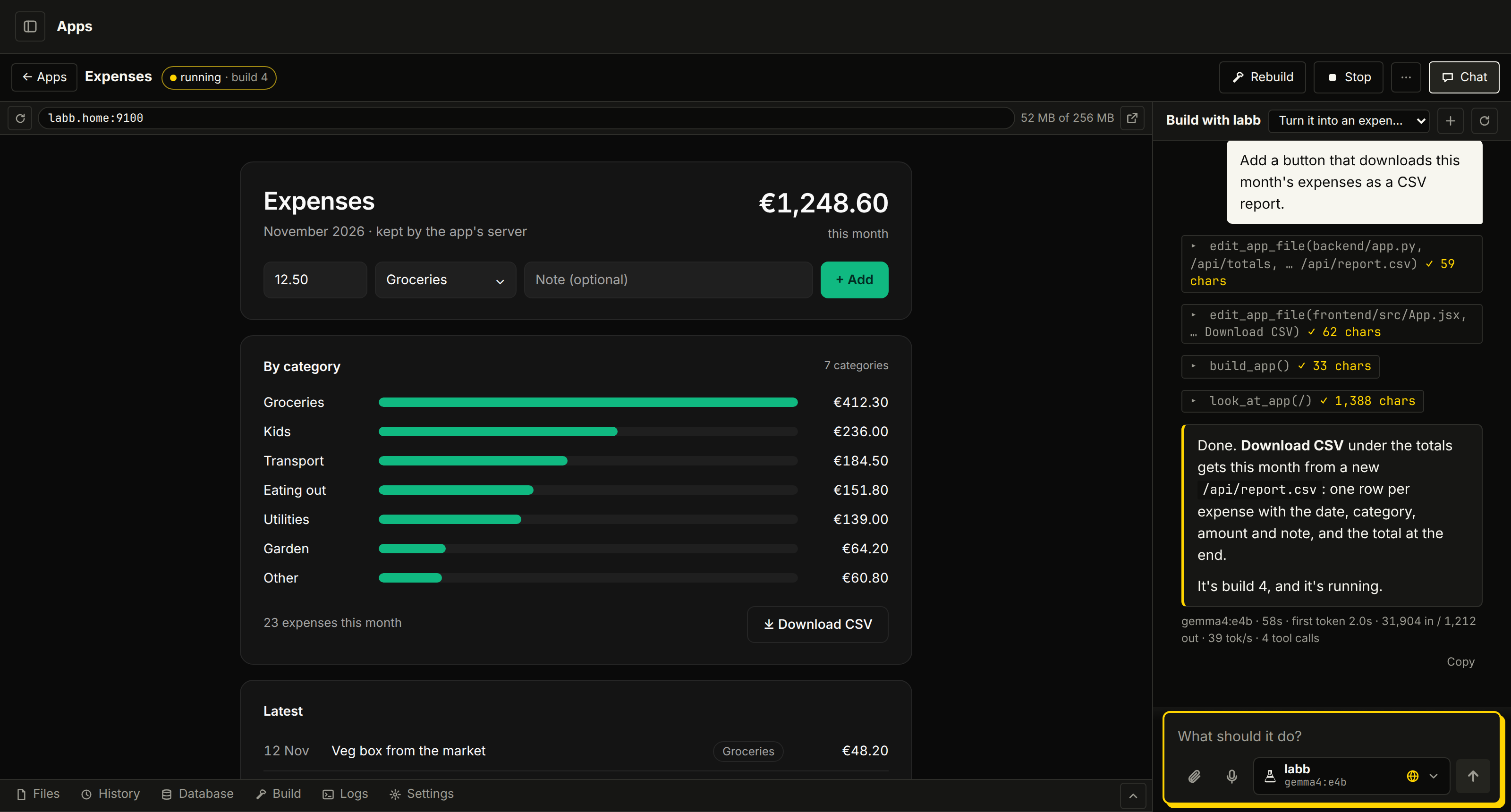
labb: Expenses is running on port 9100. I opened it to check: receipts add up by category, and each month exports as a CSV report.
- Free and open source (MIT)
- Runs on your own machine
- Local models by default
- Web chat, terminal and iOS
- Apps it builds for you
Everyone gets a polished chat. You keep the server.
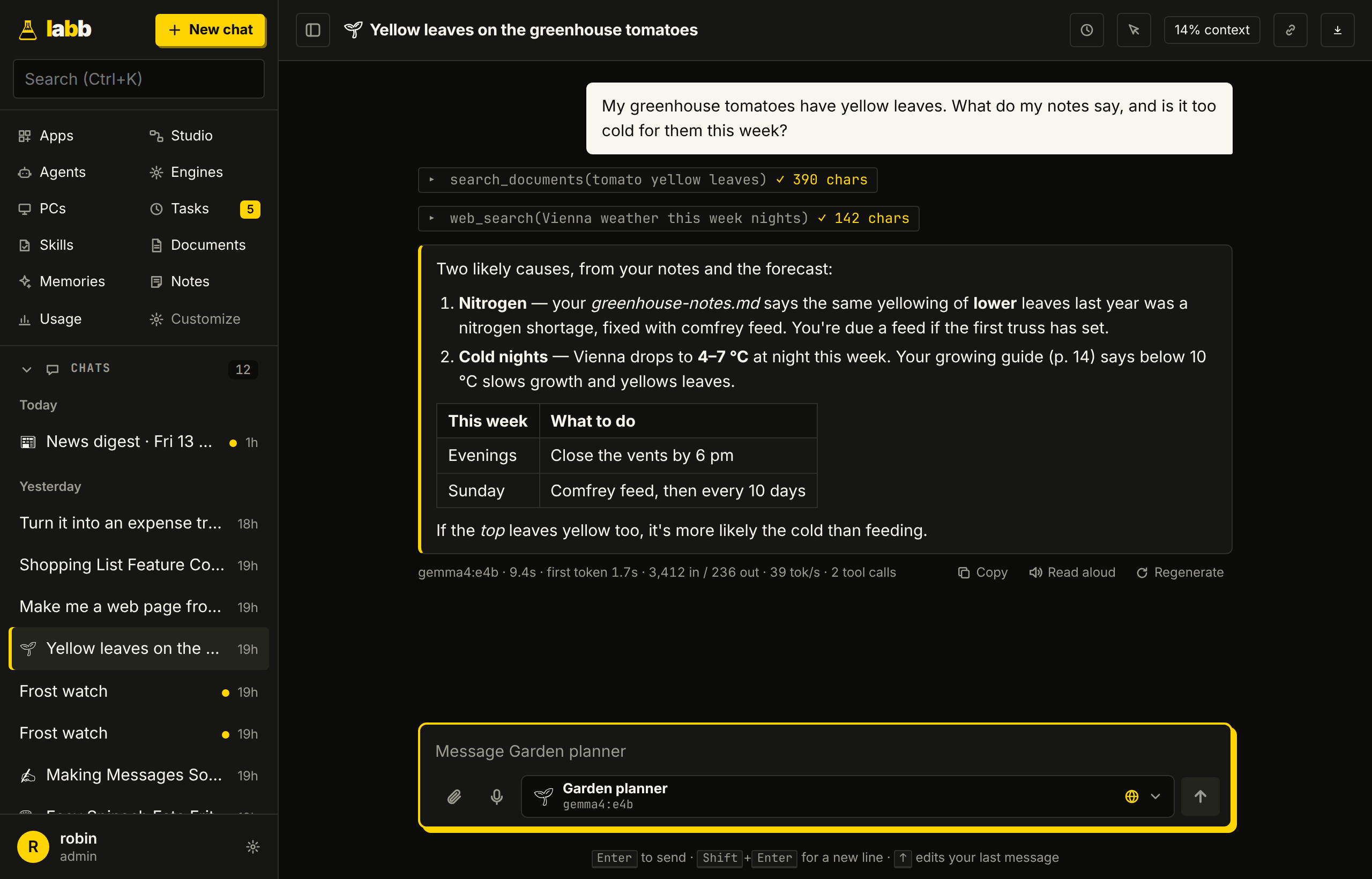
Run labb on one machine at home or at work, and everyone on the network can use it. Each person gets an account and their own chats, documents and memories. Replies can draw on your own files and the web in the same answer.
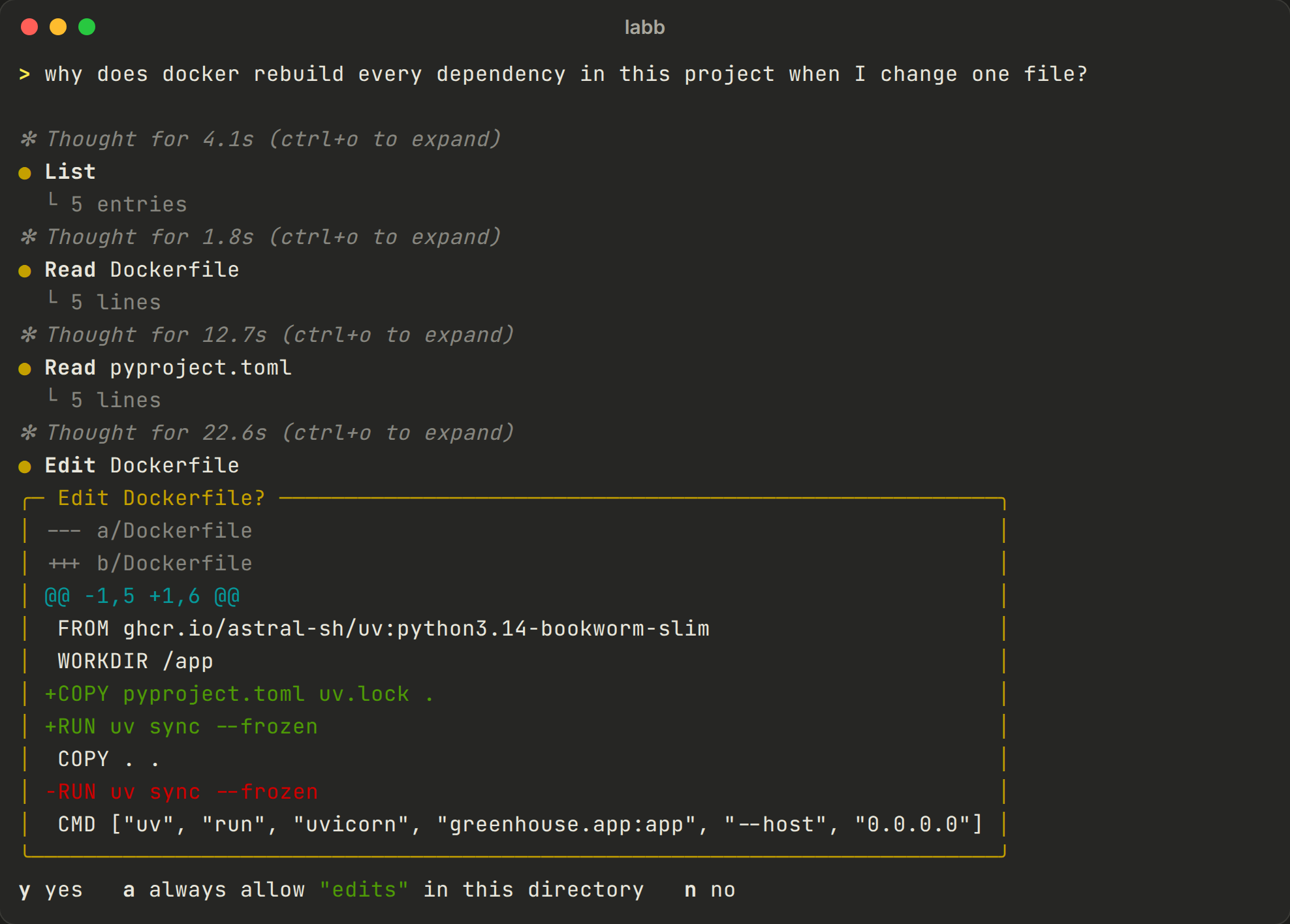
And an agent in every terminal
labb reads and searches your code and runs commands with your approval, in any folder. It has a plan mode, goals it keeps working on until they're done, and /undo restores files when a turn goes wrong.
It shares the server's models, documents and memories, and its sessions show up in the web chat. Run labb connect and you can start work on that PC from the browser.
Ask for an app, get one running
Say what you need and labb writes an app, builds it in a container of its own and opens it to check it works. Every build is a version you can go back to, and an app can have its own database and users.
In any chat, ask for a dashboard, a chart or a diagram, and you get an artifact with a link.
It keeps going after you close the tab
Agents for each job
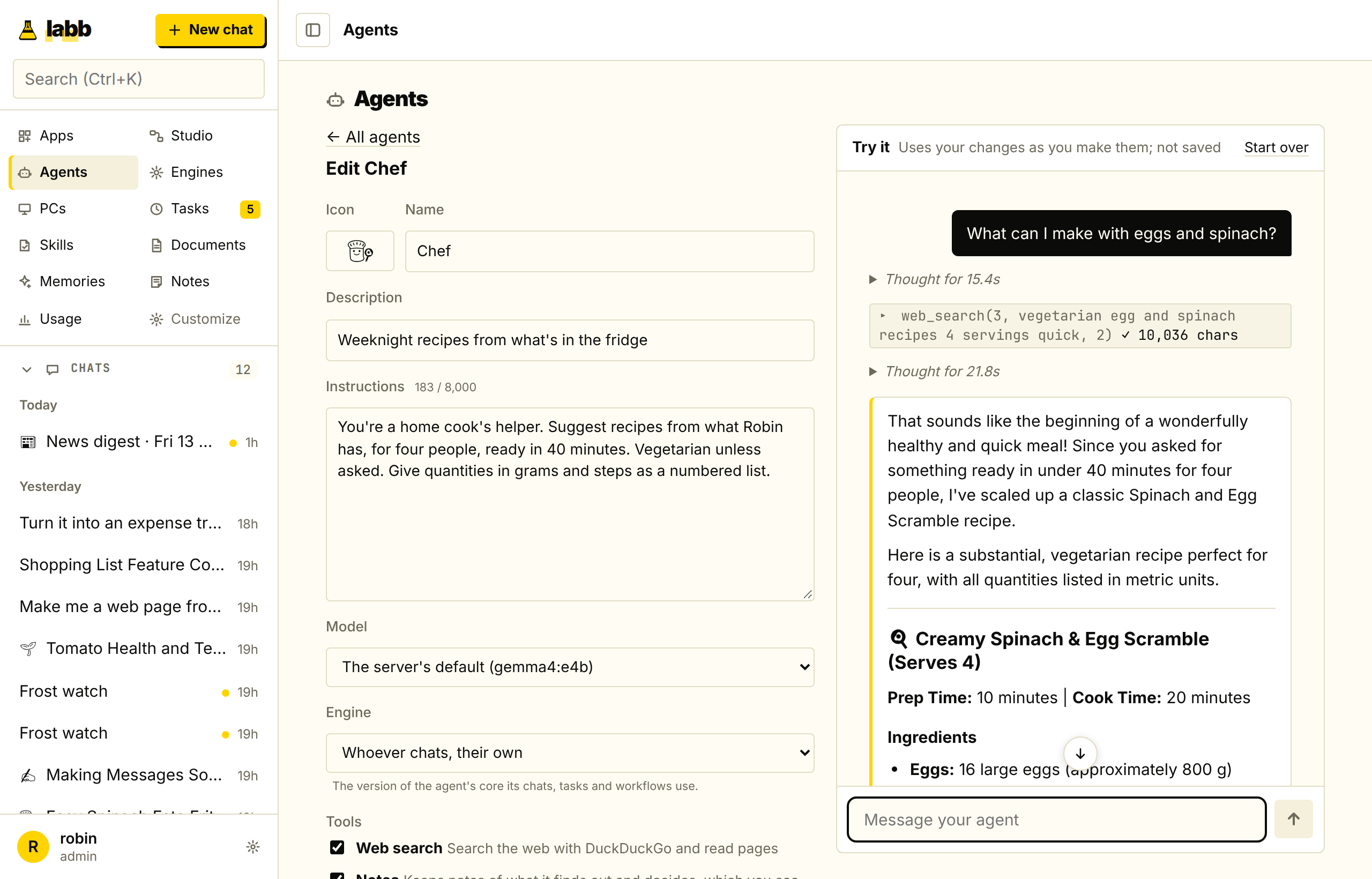
Give an assistant its own instructions, model, tools and documents. Try it as you edit, then share it with everyone on the server. More on agents.
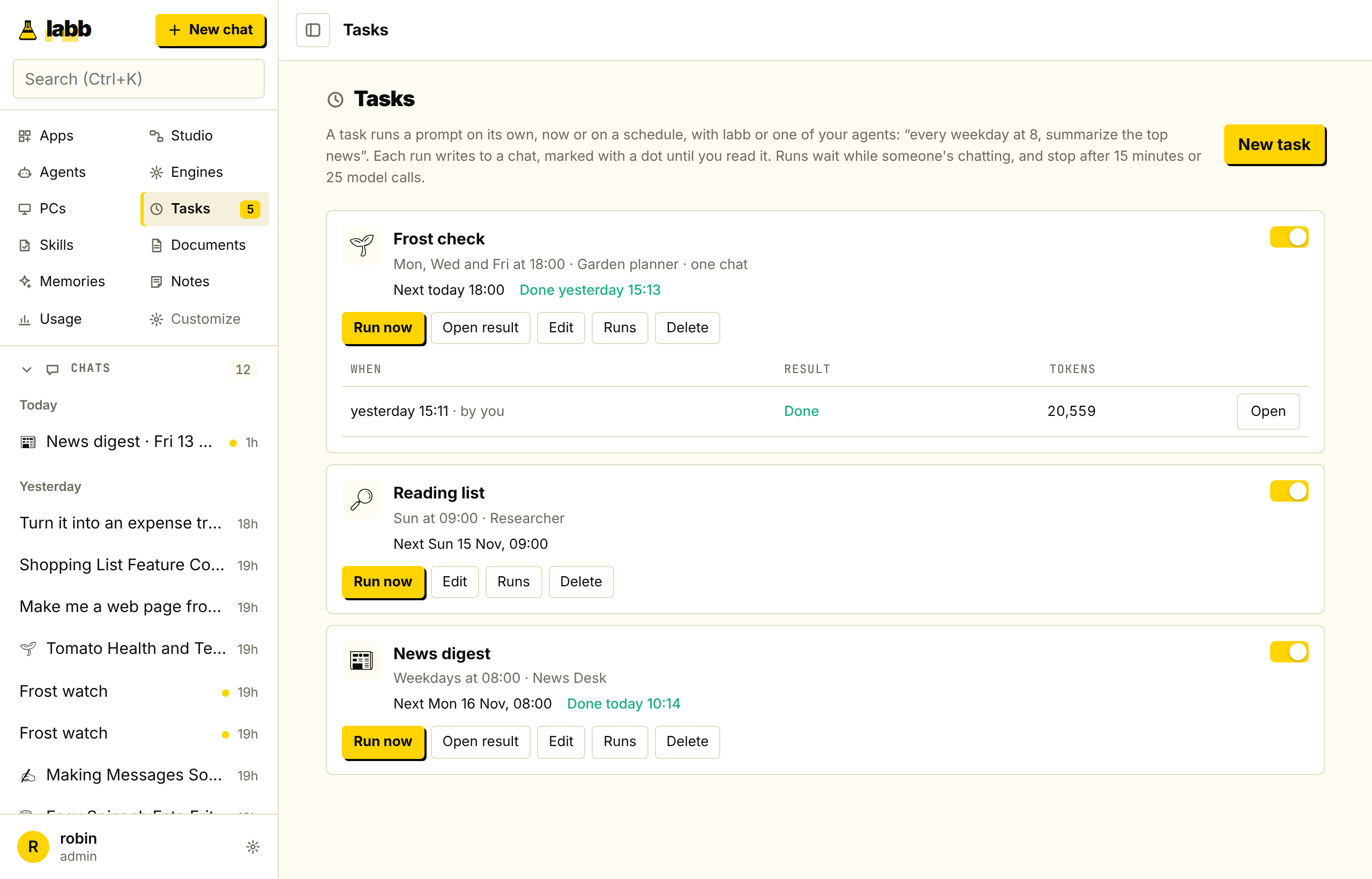
Tasks on a schedule
“Every weekday at 8, summarize the top news.” An agent does it, and the result waits for you in a chat, marked unread. See how scheduling works.
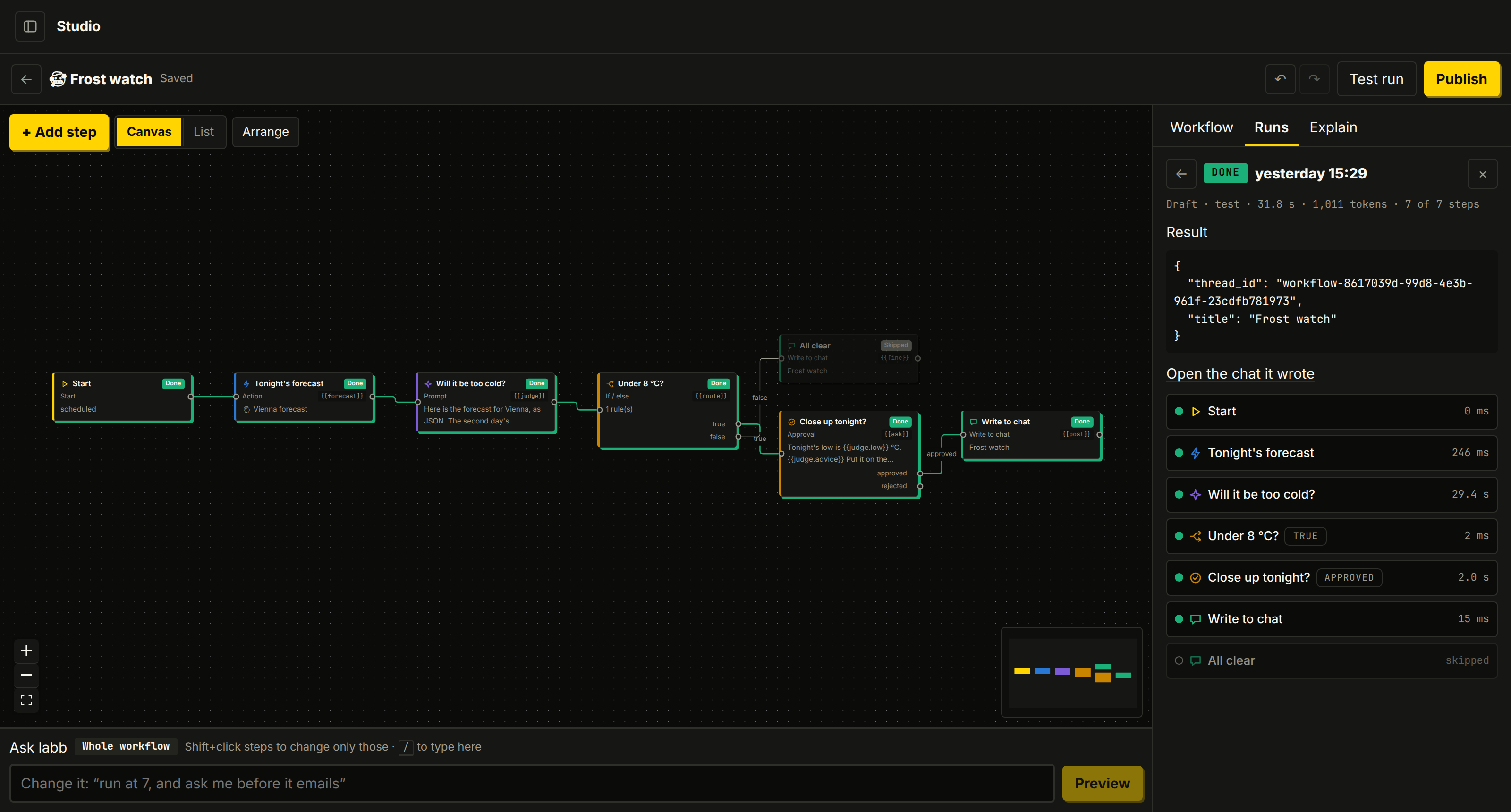
Workflows in Studio
Describe a job in words or build it on a canvas, with branches, loops and approvals. Follow one from start to finish.
One lab, wired together on your own hardware
labb starts on small local models through Ollama. When you want more power, an admin can turn on a cloud provider from the browser and choose who gets which models.
- Ollama (on from the start)
- Ollama Cloud
- OpenAI
- Anthropic
- Any server that speaks OpenAI's API
Talk to it, teach it, wire it up
Voice mode
Talk hands-free, with speech models that run on your own machine.
Documents and memories
It answers from your files, links to the passages, and remembers what matters to you.
Integrations
Google, Microsoft 365, GitHub and Notion, any tool through MCP, and skills that teach it how you work.
The browser
It clicks through sites and fills in forms, and leaves passwords and payments to you.
Engines
Fork the agent's core, change its prompts and steps, and compare the results.
Your PCs
Start work on a PC at home from the browser, in the folders you allowed.
Build your own lab
You need Docker and Ollama. The server prints a setup link for the admin account, so nobody else can take it.